Webflow SEO Services: What Agencies Fix First on Webflow Sites
Almost every Webflow site we audit ships with the same handful of defects baked in by the platform's defaults — and the owner has no idea, because the site looks flawless in the Designer.

Webflow SEO Services: What Agencies Fix First on Webflow Sites
Bottom line: The first thing Webflow SEO services fix isn't content - it's Webflow's structural defaults. Agencies start with CMS pagination that leaks crawl budget, canonical tags Webflow won't let you edit on Collection pages, and oversized images that sink Core Web Vitals. Those three account for most of what a Webflow audit flags before anyone touches a keyword.
Almost every Webflow site we audit ships with the same handful of defects baked in by the platform's defaults - and the owner has no idea, because the site looks flawless in the Designer. The design is rarely the problem. The problem is what Webflow decides to emit in the <head> and how it paginates Collection Lists, neither of which you can fully control without a workaround. A designer-built Webflow site can be gorgeous and still be invisible to Google for reasons that have nothing to do with how it reads.
Key Takeaways:
- —Webflow's own pagination does not give paginated Collection pages proper canonical control, which is why they slip into Google's index as thin, orphaned duplicates (Sygnal).
- —Google's guidance is explicit: paginated pages should carry a self-referential canonical, never point back to page one (Google Search Central).
- —Images were the Largest Contentful Paint element on about 85% of desktop pages in 2025, so unresized Webflow images are usually the single biggest Core Web Vitals drag (web.dev).
- —The highest-ROI Webflow work is structural and technical first - content and links come after the platform stops fighting you.
- —Most of these defects are cheaper to fix at build time than to unwind later, which is why the audit comes first.
What Are Webflow SEO Services?
Strip away the sales copy and Webflow SEO services are the work of making a visually-designed Webflow site actually rankable and citable - closing the gap between what the Designer shows and what Google's crawler receives. That splits into three buckets: technical SEO (crawlability, canonicals, indexation, Core Web Vitals), on-page and content SEO (CMS field structure, headings, internal links), and off-page authority.
Webflow is a genuinely strong SEO platform - clean markup, fast hosting, editable meta fields per Collection item. The trouble is that its defaults quietly work against you in a few predictable places. A good agency doesn't rebuild your site. It finds the two or three platform-level leaks holding everything back, patches them, then builds a content and topical-authority engine on top. If you've read our take on why Shopify stores struggle to rank or the WordPress equivalent, the pattern is identical: the platform ships defaults that need overriding.
The 8 Webflow-Specific Defects Agencies Fix First, Ranked by How Often We See Them
Here is the part no competitor page gives you straight. Across the Webflow sites we audit, the same defects recur in a stubbornly consistent order. This isn't a generic SEO checklist - every item below is specific to how Webflow builds pages, ranked by how frequently it shows up in a real audit.

| Rank | Webflow-specific defect | How often we see it | Why it costs rankings |
|---|---|---|---|
| 1 | CMS pagination with no canonical control | Nearly every CMS site | Paginated ?page=2 URLs get indexed as thin duplicates and waste crawl budget |
| 2 | Broken canonicals on Collection pages | Most CMS sites | Wrong or missing self-referential canonical splits ranking signals |
| 3 | Oversized images not sized to display | Most sites | Biggest single Core Web Vitals / LCP drag on the page |
| 4 | Multiple H1s / heading hierarchy used for styling | Most sites | Design components emit H1s and H2s for visual size, not document structure |
| 5 | Missing alt text across CMS templates | About half | One empty alt field in a template repeats across every Collection item |
| 6 | Orphan CMS items / noindex left on | About half | Items excluded from sitemap or still flagged noindex from staging |
| 7 | 404s from changed Collection slugs, no redirect | Common | Renaming a slug breaks every existing link and lost backlink equity |
| 8 | Missing schema on Collection templates | Common | Article, Product, and FAQ schema absent, so no rich-result or AI-citation eligibility |
The order matters more than the list. Fix #1 and #2 and you often recover crawl efficiency across hundreds of URLs in a single sprint. Fix #8 in isolation and you've polished a page Google is still struggling to crawl. That sequencing - biggest structural leak first - is the difference between an agency and a freelancer running a plugin.
You can surface most of these yourself in a few minutes by dropping your URL into SEO Magics' free SEO audit tool; it flags the pagination, canonical, and image issues before you ever get on a call.
Why Does Webflow CMS Pagination Wreck Your Crawl Budget?
Start with the defect at the top of the list, because it's the one owners never notice. When a Collection List spans multiple pages, Webflow generates /blog?page=2, /blog?page=3, and so on - but it doesn't give you head control over those paginated URLs. In practice they inherit a canonical that doesn't point where it should, so Google treats each one as a separate, thin, near-duplicate page (Sygnal).
The result is index bloat: dozens of low-value paginated URLs competing for attention while your actual articles wait behind them in the crawl queue. Google's own canonicalization documentation is clear that duplicate URLs dilute ranking signals, and its pagination guidance states the most common mistake it sees is pointing paginated canonicals back to page one instead of making them self-referential.
The fix isn't glamorous. Options range from a JavaScript workaround that detects the page parameter and injects noindex, to restructuring so SEO value lives on individual Collection pages rather than the paginated list. Either way, this is the first thing that gets specified - long before anyone opens a keyword tool.
How Do Canonicals Break on Webflow Collection Pages?
Canonicals are where Webflow's convenience quietly turns into a liability. On static pages you get a clean per-page canonical field. On Collection templates and paginated lists, the control you'd want isn't fully exposed, so the tag Webflow emits and the tag you actually need don't always match.
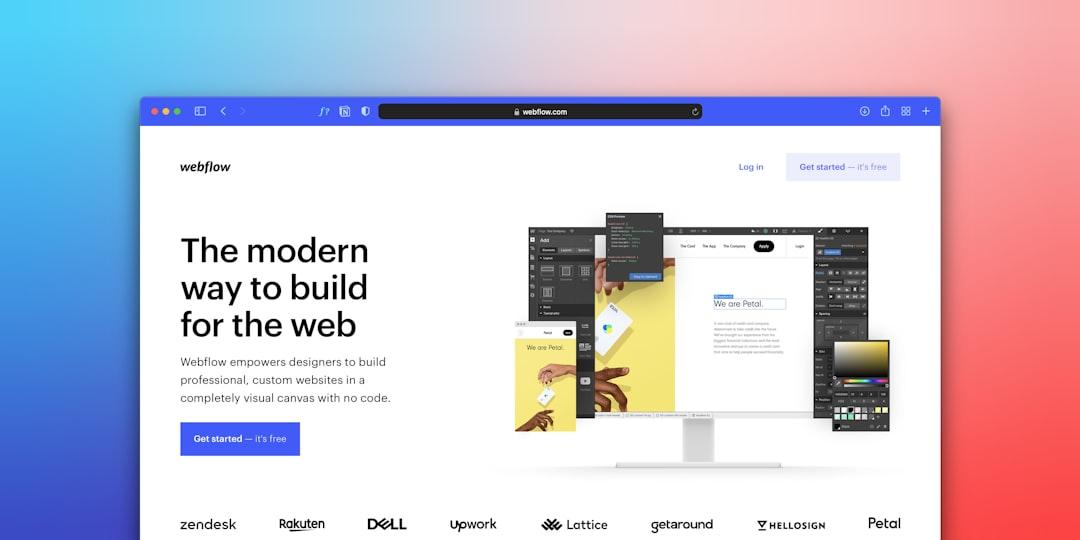
Two failure modes show up over and over. First, a Collection item canonicalizing to a URL that no longer exists after a slug change - an instant crawl dead end. Second, filtered or sorted Collection views generating parameter URLs with no canonical strategy at all, which duplicate content wholesale. Finsweet's Webflow SEO guide notes most Webflow duplicate-content problems trace back to Collection Lists and thin CMS fields - not to anything you wrote.
The remedy is a deliberate canonical map: every template and view gets a defined canonical target before launch, and slug changes always ship with a 301. This is exactly the kind of thing worth locking down in a developer handoff spec rather than discovering three months post-launch.
Are Oversized Images Killing Your Webflow Core Web Vitals?
Usually, yes. Webflow generates responsive image variants, but it can't fix a source file that's four times larger than its display size - and designers upload full-resolution exports constantly. Since images made up roughly 48% of the median web page's weight in 2025 and were the LCP element on about 85% of desktop pages (web.dev), an unoptimized hero image is often the single biggest thing standing between you and a passing Core Web Vitals score.
The compounding mistake is lazy-loading the wrong images. Lazy-load a below-fold gallery and you save bandwidth; lazy-load the hero and you actively destroy your Largest Contentful Paint. Google's target is an LCP of 2.5 seconds or less at the 75th percentile, and a bloated hero blows past that on mobile before the page even settles.
The fix sequence is boring and effective:
- Resize every source image to its maximum display dimension, with a 1.5-2× multiplier for retina displays - no 4000px file rendering in a 600px slot.
- Convert to WebP and compress before upload; Webflow's variants only go so far.
- Set explicit width and height on every image so the browser reserves space and your CLS stops shifting.
- Load above-fold images eagerly and everything below the fold lazily - never the reverse.
- Re-measure in the field, not just the lab, because real traffic on real devices is the only score Google counts.
If Core Web Vitals is your bottleneck, our deeper INP and Core Web Vitals triage guide walks the full playbook.
What Does a Webflow SEO Engagement Actually Cost?
Pricing depends far more on scope than on the platform. Webflow doesn't make SEO cheaper or more expensive - it just changes which technical work sits at the front of the engagement. Broadly, engagements fall into three shapes:

| Engagement model | What it covers | Typical market range |
|---|---|---|
| One-off technical audit | The 8-defect sweep, canonical map, image + schema plan | Project fee, one-time |
| Fixed-scope build fix | Implement audit findings, redirects, CWV pass | Project fee |
| Ongoing retainer | Audit fixes + content engine + monitoring | Commonly $2,000 - $8,000+/mo |
Boutique Webflow SEO retainers typically run in the $2,000 - $8,000 per month band, with mid-market scopes extending higher (Amply's 2026 pricing survey). The honest guidance: if a site's core problems are structural, start with an audit and a fixed-scope fix rather than committing to a retainer on day one. Pay for the diagnosis before you pay for the ongoing prescription. Our own view on what real SEO services should include is that the technical baseline is table stakes, not a premium add-on.
How Long Does Webflow SEO Take to Work?

Faster than most platforms for the technical wins, same as everyone for the content. Because Webflow's biggest issues are structural, fixing pagination, canonicals, and Core Web Vitals can improve crawl efficiency and indexation within a crawl cycle or two - often weeks, not months. That's the part Webflow rewards you for.
Ranking and traffic gains from content and authority still follow the normal curve: meaningful movement over three to six months, compounding past that. Anyone promising ranked-in-30-days on any platform is selling you something. The realistic Webflow timeline is quick technical recovery, then a steady content build - which is also why the audit-first sequence pays off, since it front-loads the wins you can actually measure early.
How We Assessed This
The defect ranking in this article comes from the pattern we see auditing growth-stage Webflow sites, not from a public dataset - so we've described frequency qualitatively ("nearly every audit," "about half") rather than inventing precise percentages we can't defend. Each defect maps to a specific Webflow behavior we can reproduce in the Designer and confirm in a site's rendered <head> and XML sitemap.
Our technical assessment leans on the standard toolset: a crawler (Screaming Frog or equivalent) to catch orphaned and paginated URLs, Google Search Console for indexation and coverage reality, PageSpeed Insights and field Core Web Vitals data for the image and LCP work, and manual <head> inspection for canonical accuracy. Third-party guidance is cited to primary sources - Google Search Central for canonical and pagination rules, web.dev for LCP behavior, and Webflow-specialist references like Sygnal and Finsweet for platform-specific quirks. The pricing ranges are market observations, linked to their source, not our own rate card. As an AI-native agency running 12-month optimization cycles, we sequence this work biggest-leak-first because that's what recovers the most crawl and ranking signal per sprint - and it's the same lens behind our AI visibility audit.
Frequently Asked Questions
Is Webflow good for SEO?
Yes - Webflow produces clean, fast, semantic markup and gives you per-page control over titles, meta descriptions, and Open Graph fields. Its weaknesses are specific and fixable: pagination canonical control and head control on Collection templates. Handle those and Webflow competes with any platform on technical SEO.
What is the most common Webflow SEO mistake?
Letting CMS pagination run with default settings. Paginated Collection URLs get indexed as thin duplicates that waste crawl budget and split ranking signals. It's the number-one defect we find, and most owners never notice it because the visible pages look perfect.
Can I do Webflow SEO myself or do I need an agency?
You can handle on-page basics - titles, alt text, internal links - yourself. The platform-level defects (pagination canonicals, schema on Collection templates, Core Web Vitals) usually need someone who knows Webflow's specific behavior. Start by running a free audit to see which category your problems fall into.
Does Webflow handle canonical tags automatically?
Partly. Webflow adds self-referencing canonicals on standard pages, but you don't get full head control on paginated Collection pages, and slug changes can leave canonicals pointing at URLs that no longer exist. Both require deliberate setup rather than trusting the default.
How do I fix Webflow Core Web Vitals?
Start with images, since they're the LCP element on most pages. Resize source files to their display dimensions, convert to WebP, set explicit width and height, and load above-fold images eagerly while lazy-loading the rest. Then re-measure with field data, not just lab scores.
Will fixing these defects get me cited in AI Overviews and ChatGPT?
Fixing them makes you eligible. Clean crawlability, correct canonicals, and schema on Collection templates are prerequisites for both classic rich results and AI-engine citation. They don't guarantee a citation on their own, but you cannot earn one while your pages are buried under paginated duplicates.
Fix the Foundation Before You Buy the Content
If your Webflow site looks great but isn't ranking, the odds are strong the problem is on this list - and it's structural, not creative. Run your URL through the free SEO audit tool to see your pagination, canonical, and Core Web Vitals status in a few minutes, no strings attached.
Want a human read on what the audit surfaces and the order to fix it in? Book a strategy call and we'll tell you exactly what a Webflow site your size should fix first - even if that's work you can do without us.